See the Platform
A walkthrough of the admin panel, the applications and the billing flow — so you can judge whether this fits the way you want to run a VPN business before you talk to anyone.
Seven screens that cover the whole business
Choose a section to see what it does and why it matters. Everything shown here is an interface illustration with sample data — real customer information is never published on a public website.
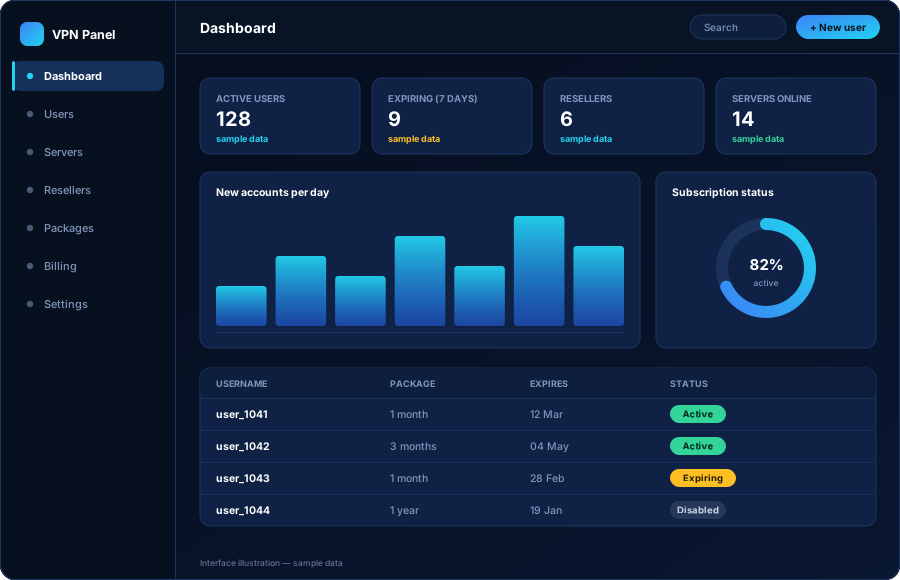
The dashboard you open every morning
Active accounts, accounts about to expire, reseller activity and server status on one screen. Everything on the dashboard links straight through to the record behind it.
- Active accounts and accounts expiring in the next few days
- Recently created and recently renewed accounts
- Reseller activity and remaining credit balances
- Server list with online, hidden or maintenance status
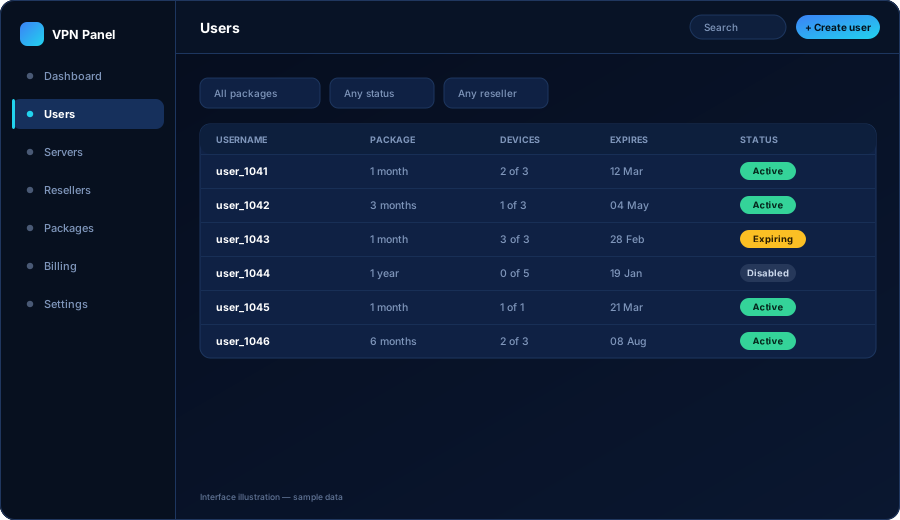
Every customer account in one list
Search, filter and act on any account. When a customer says it stopped working, this screen tells you why in one look: expired, suspended, or at the device limit.
- Filter by package, status, reseller or expiry window
- Create an account with a username, a package and an end date
- Extend, suspend, reset credentials or change package
- See how many devices the account is currently using
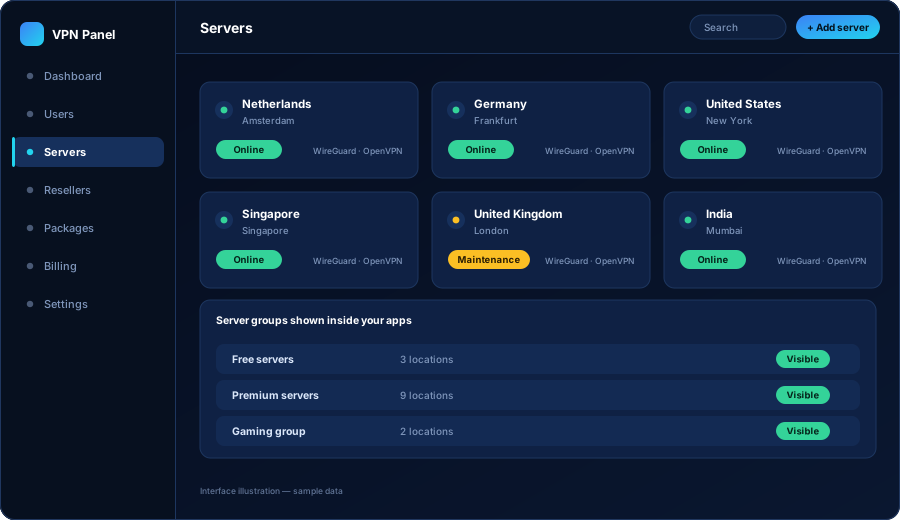
Your locations, grouped the way you sell them
Add a server once and every application picks it up. Groups turn your infrastructure into the pricing tiers your customers actually buy.
- Add servers with country, city and connection details
- Group servers into free, standard, premium or private sets
- Set a server online, hidden or under maintenance
- Control which packages can reach which groups
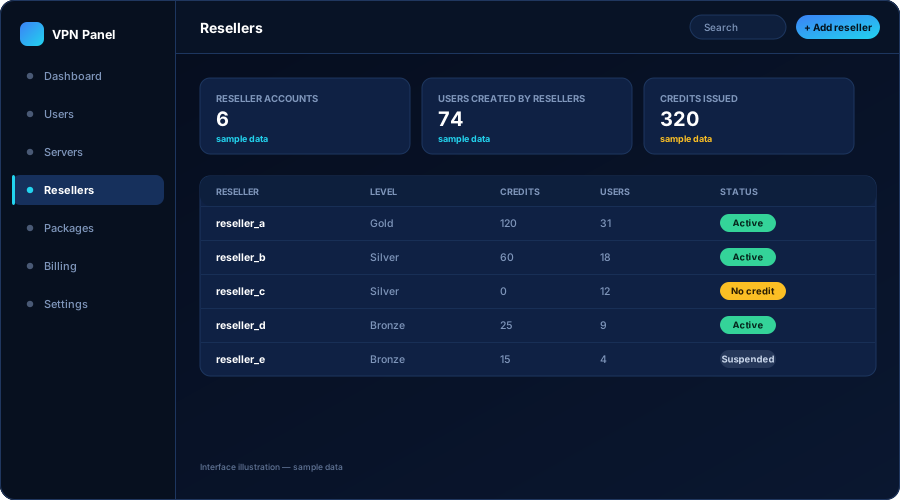
Partners who sell without going through you
Resellers log into the same platform with their own restricted view. Credits are deducted when they create or renew a customer, so you are paid first.
- Separate reseller logins limited to their own customers
- Credit balances you top up and the system spends
- Limits on packages, durations and account totals
- Suspend a reseller instantly without touching their customers
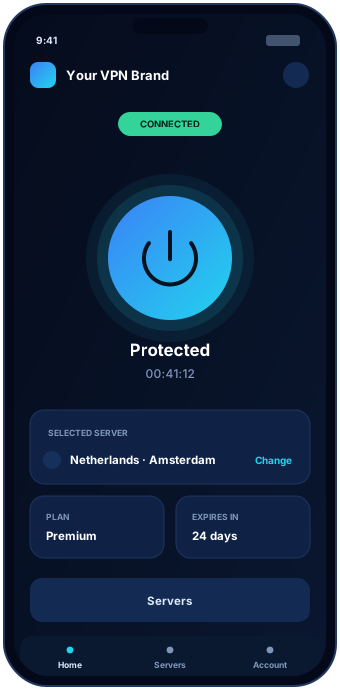
What your customers see
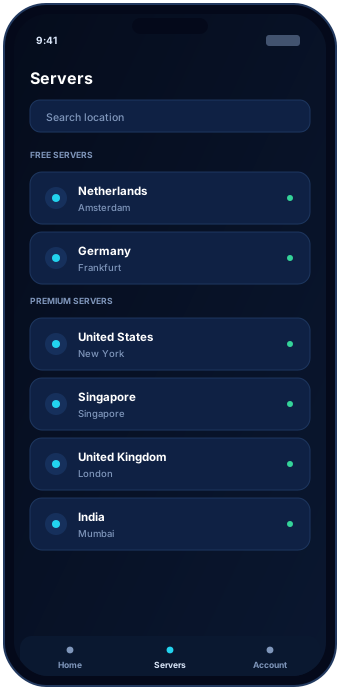
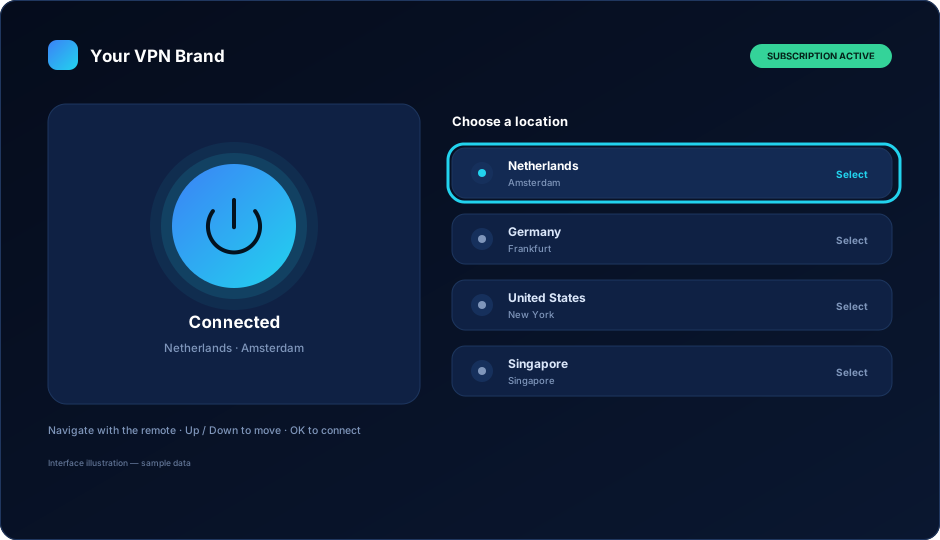
The same accounts and the same servers, presented in your brand on every platform. Phone, TV and desktop share one login and one device limit.
- Connect screen with an unambiguous connection state
- Server list limited to what the package allows
- TV builds designed for remote-control navigation
- Desktop clients for Windows and macOS
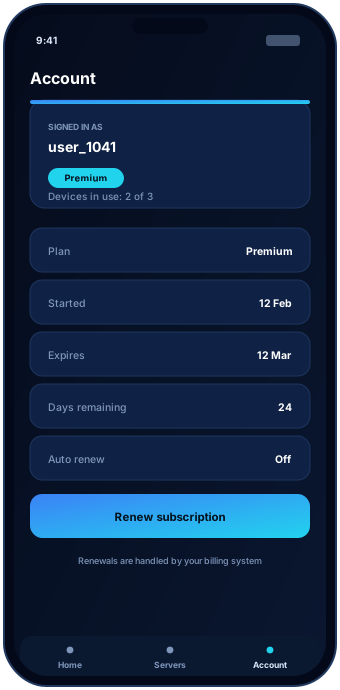
The screen that prevents support tickets
Plan, start date, end date, days remaining and devices in use, taken directly from your panel. Customers stop asking how long they have left when they can see it.
- Plan name and subscription dates
- Days remaining, counted from the panel
- Devices currently in use against the limit
- A clear route to renew when the plan is ending
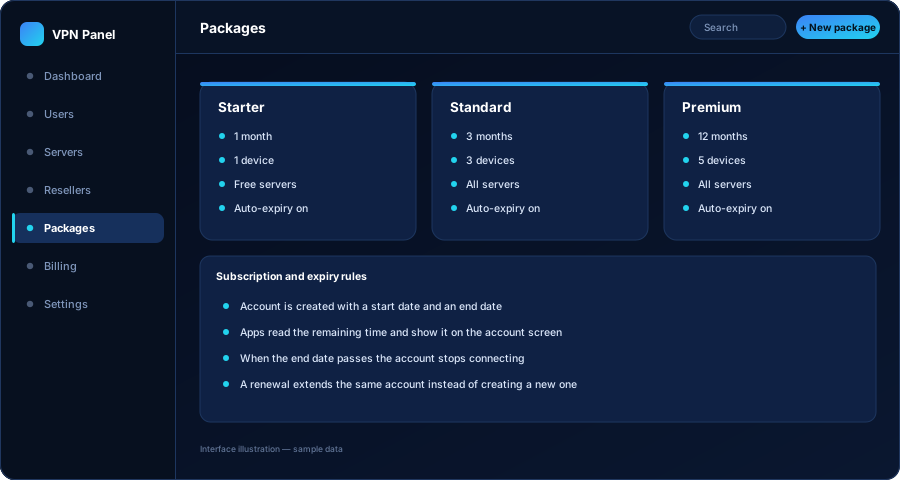
From a paid order to a working account
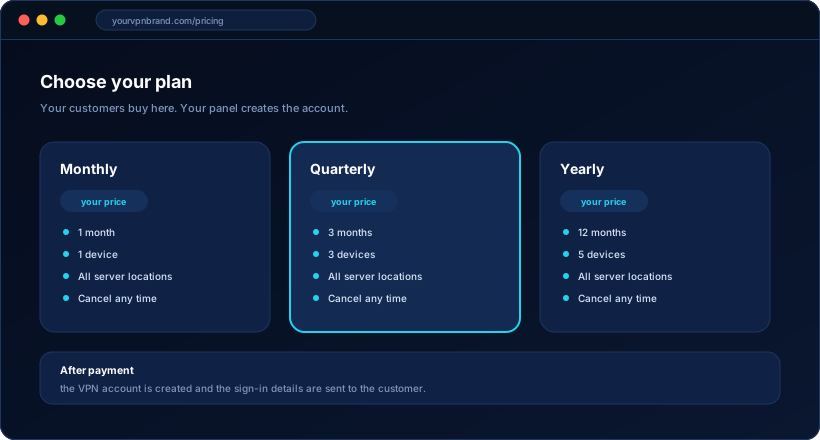
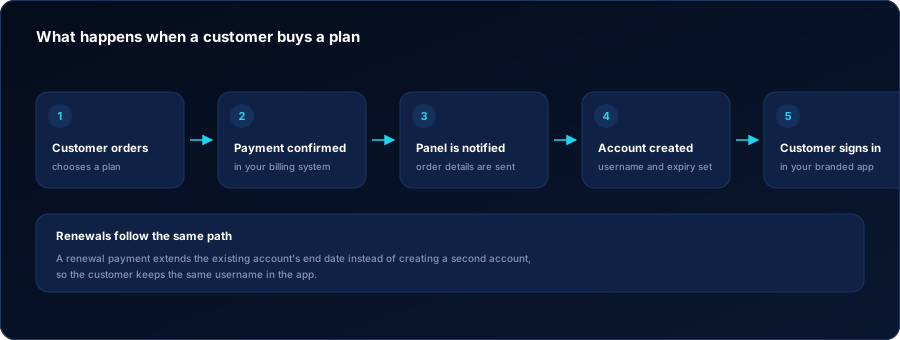
Your website takes the payment through your own provider. Your billing system tells the panel to create the account. The customer signs in without waiting for you.
- Plans presented on your own domain
- Your payment provider and merchant relationship
- A paid order creates the VPN account automatically
- A renewal extends the existing account rather than duplicating it
What this demo is and is not
What it is
- An accurate walkthrough of what the platform does
- Interface illustrations of the real screens and flows
- Sample data, so you can see the shape of each screen
- A basis for a real conversation about your scope
What it is not
- A live system with anyone's real customer data in it
- A claim about performance figures we have not shown you
- A promise that every feature suits every business
- A substitute for a written scope — that comes after we talk
Want to click through it yourself with someone answering questions? Ask for a guided demo and tell us what you are trying to build — we will show the parts that matter to you rather than the full tour.