Signed and notarised
Signed with your Developer ID and submitted to Apple's notarisation service, so customers can open the app without fighting a security warning.
A Mac VPN client carrying your brand, signing in against your admin panel and sharing one account system with your mobile, TV and Windows applications.
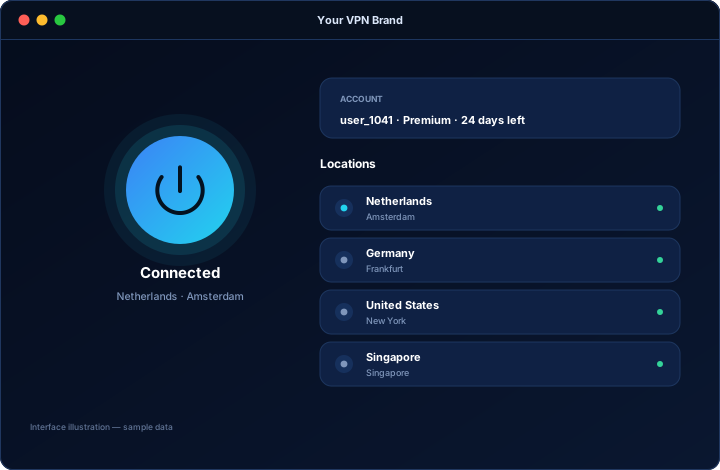
Mac users are a minority of most VPN customer bases and a majority of some. If you sell to agencies, studios, developers, consultants or business customers in Mac-heavy markets, a missing Mac client is the reason a deal stalls — not because the customer cannot use their phone, but because it signals that your product is incomplete.
A Mac client is usually the fourth or fifth platform a VPN business adds, after Android, TV and Windows. That order reflects volume rather than importance: by the time you add macOS, your panel, packages and support processes are settled, so the build is straightforward.
Mac customers notice when software does not follow the conventions of the platform. The client is built to feel like a Mac application: a compact window, sensible keyboard behaviour and a menu bar presence where that suits your scope.
The Mac client behaves exactly like the rest of your apps because it asks the same admin panel the same questions.
On macOS, the technical steps that make software installable are as important as the software itself.
Signed with your Developer ID and submitted to Apple's notarisation service, so customers can open the app without fighting a security warning.
The download sits on your own domain alongside your pricing and support pages, keeping the whole journey inside your brand.
If you want a store listing as well, that is a separate submission and review. Apple decides what it publishes, so we prepare it properly rather than promise a result.
For a client distributed from your own website you still need an Apple Developer account to sign and notarise the application, otherwise macOS will refuse to open it normally. If you also want it in the Mac App Store, that is a separate submission and review.
It is Apple's automated check on software distributed outside the App Store. Without it, a customer downloading your client sees a warning that the app cannot be opened — and most non-technical customers stop there.
Yes. Same panel, same accounts, same expiry rules and the same device limit as your Windows, Android, TV and iOS apps.
It depends on your market. If you sell to business customers, designers, developers or anyone in a Mac-heavy region, the absence of a Mac client is a visible gap. If your customer base is almost entirely mobile, it can wait.
Currently supported macOS versions are the target. The exact range is confirmed in your written scope, because it depends on the components used in your build.
Tell us which platforms you already run and which are missing. We come back with scope, timeline and a written quote.